Real MIDI Keyboard Support
Connect any MIDI keyboard over USB or Bluetooth. ChordFrog recognises chords in real time — including inversions and slash chords.
ChordFrog is the iOS ear training app that grows with you — connect a MIDI keyboard for real-time chord recognition, or use quiz modes anywhere. Five progressive levels take you from simple triads to the full chord vocabulary.
MIDI Keyboard Support Play Without a Piano 5 Progressive Levels
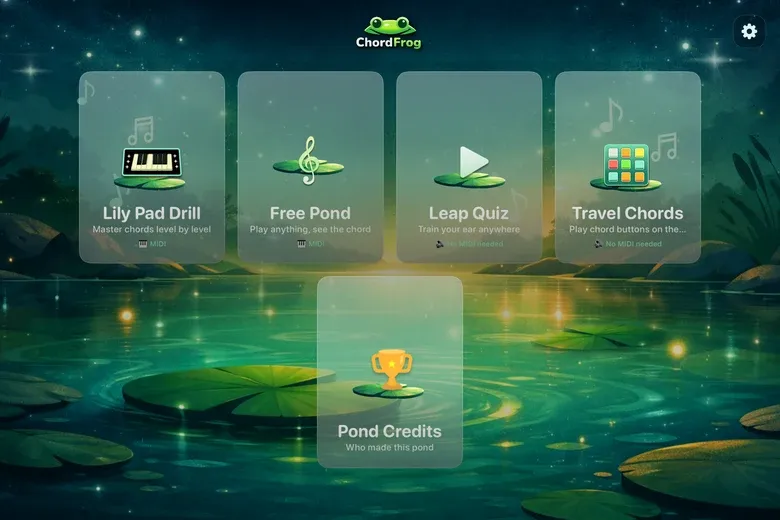
Optimised for landscape on iPhone & iPad
Connect any MIDI keyboard over USB or Bluetooth. ChordFrog recognises chords in real time — including inversions and slash chords.
Hear target chords played with a premium piano sample library and train yourself to identify them by sound alone.
Leap Quiz and Travel Chords modes work anywhere — on the bus, in a waiting room, whenever you have a few minutes.
Five levels from simple white-key triads up to the full set of major, minor, diminished, augmented, sus2 and sus4 chords.
Twenty questions per round, three tries per chord, up to 200 points. First-try answers score 10; second try 6; third try 3 — so accuracy matters.
Every mode includes a "Play C" reference tone and chord replay so you always have a tonal anchor.
Whether your keyboard is plugged in or packed away, ChordFrog has a mode for the moment.
Pick a level, listen to the mystery chord, then play it on your keyboard. Twenty questions per round, three tries per chord, up to 200 points — every attempt counts.
Just play. ChordFrog identifies every chord in real time — triads, seventh chords, slash chords — and shows the name, inversion, and pitch classes instantly.

Four options. One chord. Twenty questions per round, three tries each, up to 200 points — the same scored format as Lily Pad Drill, no keyboard required.
Tap any chord to hear it. Browse all practice-level chords grouped by level — a handy audio reference you can reach for anytime, anywhere.
Follow the path of a real musician — from campfire classics to the full harmonic vocabulary.
Common chords in pop & folk
All major and minor chords
Add dominant 7th & major 7th
Add minor 7th, sus2 & sus4
Everything — dim, aug, 6ths & more
Common chords in pop & folk
All major and minor chords
Add dominant 7th & major 7th
Add minor 7th, sus2 & sus4
Everything — dim, aug, 6ths & more
Coming soon
No. ChordFrog has two modes that work without a keyboard: Leap Quiz (multiple-choice ear training) and Travel Chords (tap to hear any chord). For Lily Pad Drill and Free Pond, a MIDI keyboard is required for real-time chord recognition.
ChordFrog works with any class-compliant USB MIDI keyboard when used with a suitable adapter (e.g. Lightning or USB-C). Bluetooth MIDI keyboards are also supported on compatible iOS devices, so you can connect wirelessly.
In Free Pond, ChordFrog recognises a wide range of chords: major, minor, diminished, augmented, sus2, sus4, major 7th, dominant 7th, minor 7th, diminished 7th, half-diminished, major 6th, minor 6th, add9, and slash chords (e.g. C/E). Ear training modes (Lily Pad Drill and Leap Quiz) focus on the six triad types across five progressive levels.
Level 1 (The Campfire) covers the most common chords in pop and folk — white-key majors plus Am, Em, and Dm. Level 2 (The Session) adds all remaining major and minor chords. Level 3 (The Gig) adds dominant 7th and major 7th. Level 4 (The Studio) adds minor 7th, sus2, and sus4. Level 5 (The Abyss) includes everything — diminished, augmented, 6ths, and more. You can practise any level in Lily Pad Drill or Leap Quiz.
Yes. Start with Level 1 and Leap Quiz or Travel Chords to build familiarity without any equipment. Both training modes run 20-question scored rounds so you can track progress from day one. When you have a MIDI keyboard, Lily Pad Drill adds real-time physical playing to the mix.
ChordFrog requires iOS 16 or later. It runs on iPhone and iPad. For MIDI, use a Lightning or USB-C adapter for USB MIDI, or a Bluetooth MIDI keyboard where supported.
ChordFrog is free to download. Check the App Store listing for current pricing and any in-app offerings.
Download ChordFrog on the App Store and start training your ear today.
Coming soonRequires iOS 16 or later.